
Caddy - Second Phone Number
800.com, LLCCommunication
4.6977.00 Reviews
- Version
- 1.17.0
- Installs
- 100.00K
- Age Rating
- Everyone
Screenshots
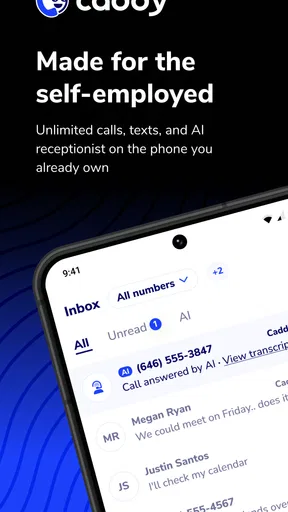
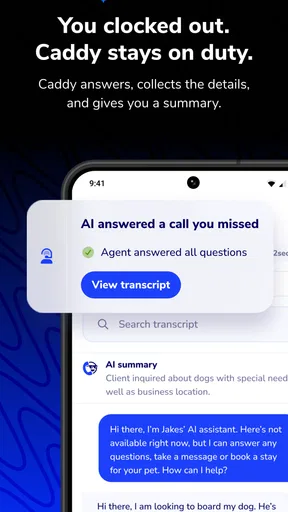
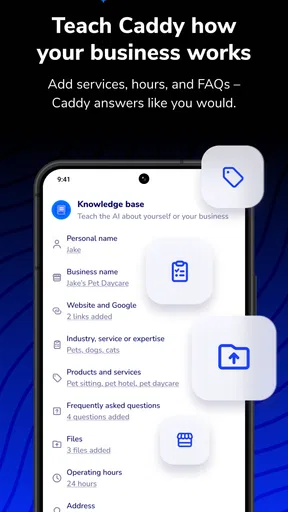
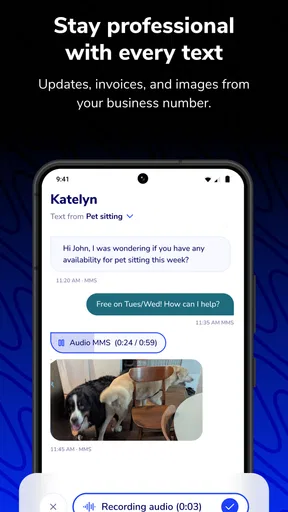
Our Review of Caddy - Second Phone Number
 Analysis by Appyee
If you are considering a separate number, the first thing I would weigh is what you need it to do day to day. A second line can make work calls, marketplace messages, or sign-ups easier to keep apart from your personal conversations, but it is still another channel to manage. Caddy - Second Phone Number is aimed at that practical gap: it is a communication app from 800.com, LLC, and its appeal is the chance to use another number without carrying a second handset.
The app is free to install, while it also offers in-app purchases ranging from $9.99 to $299.99 per item. That makes the cost question more nuanced than “free or paid”: you can start without paying for the download, but continued use or particular options may involve purchases. I would check the current purchase details in the app before relying on it for a long-term line, and decide whether the convenience is worth the ongoing spend for your specific use.
What the extra line is useful for
The strongest case for Caddy is separation. I can see it helping a freelancer who wants client calls away from family chats, a small seller who would rather not put a personal number in a public listing, or someone arranging appointments who expects a burst of calls and texts for a limited period. Keeping those conversations in a dedicated app can make it easier to recognize why someone is contacting you and to set boundaries around when you respond.
That separation is useful, but it is not the same as complete anonymity or a replacement for every part of a mobile plan. A second number gives you another point of contact; it does not automatically make every interaction private, and you still need to use good judgment about what you share. I would treat it as a practical buffer between audiences, not as a guarantee that nobody can identify or reach you.
Choosing a number and settling in
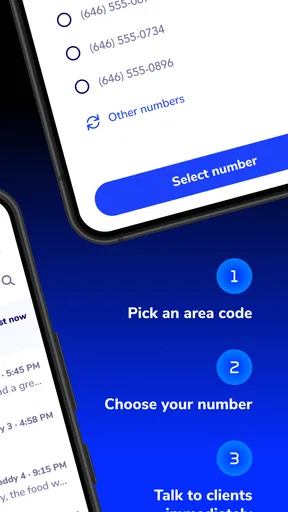
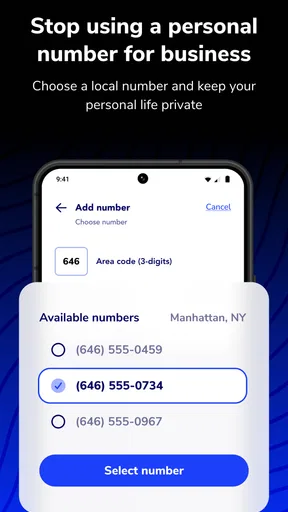
The ability to choose from area codes can be handy when local familiarity matters. For example, a service provider working in a particular area may prefer a number that looks recognizable to nearby customers. That choice is less important if you mainly use the line for online forms or contacts who already know you, so I would pick based on the people who will call rather than on appearance alone.
The setup is presented as straightforward, which matters for an app whose main job is to get a separate line working without turning into a project. Once you have a number, I would make a small test routine part of setup: send a text to someone you trust, place a call, and check how voicemail or forwarding behaves before sharing the number widely. It is a simple way to catch any mismatch between what you expect and how you plan to use the line.
Everyday call and text handling
Voicemail and call forwarding are practical tools when you cannot answer every call. If you use the number for work, forwarding may help you keep an eye on urgent contacts while you are away from the app; voicemail is better when you want callers to leave a message without interrupting you. I would choose one approach deliberately rather than enabling a setting and forgetting it, especially if the number is printed on business cards or posted publicly.
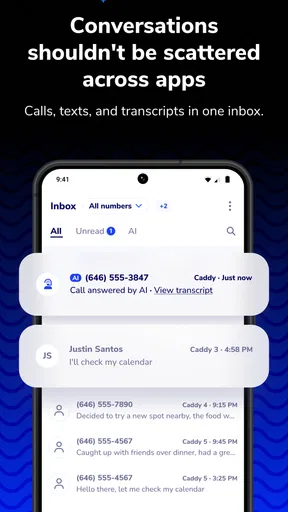
Texting, including MMS for pictures and videos, makes the second line more useful than a voice-only contact number. A home-service professional could receive a photo of a repair issue, or a seller could exchange images with a buyer, while keeping those messages separate from personal threads. The trade-off is that you now need to check another inbox. If you already miss messages across several apps, an extra line can create more sorting work instead of less.
Blocking unwanted callers adds a measure of control, but it is most useful as a response to specific nuisance contacts, not as a substitute for deciding where you publish the number. I would keep the number for a defined purpose and avoid spreading it across unrelated services. That makes it easier to understand why a call arrived and to decide whether to keep the line if that purpose ends.
How it fits beside other options
Compared with carrying a second phone, an app-based number is more convenient: there is no extra device to charge or remember, and calls and texts can be handled from the phone you already carry. A second physical SIM or mobile line may suit someone who needs the number integrated more closely with their handset or who wants a separate device for work. The better choice depends on whether convenience or stronger physical separation matters more to you.
Compared with using your regular number for everything, Caddy offers a clearer boundary between personal and other contacts. A free messaging service can be enough if all the people you need to reach already use that service, but it will not serve the same purpose as a phone number for ordinary calls and texts. I would choose Caddy when the point is to give people a separate number, not simply to add another chat app.
Who should think twice
This is a better fit for people who can name a reason for the second line and are willing to check it regularly. It may be less suitable if you need one number to be permanently reachable for critical work, if you do not want another inbox, or if your main goal is an entirely separate phone and routine. In those cases, a dedicated handset or another arrangement that matches your reliability needs may be the safer choice.
I would also avoid treating an extra number as a disposable shortcut for every sensitive account. Some services have their own rules about which numbers they accept, and you may later need access to the same line for verification or account recovery. Before using Caddy for an important login, think through how long you expect to keep the number and whether you can maintain access to it.
Why You Might Need Caddy
Whether you’re managing a side hustle, want to keep your personal and work life separate, or simply need a burner phone number for privacy reasons, Caddy has got you covered. The best part? It’s super easy to set up and use.
Getting Started with Caddy
Getting started is a breeze. Download the app, sign up, and you’re good to go. You can choose a number from a variety of area codes, so it feels local and familiar. It’s like shopping for a new car but way less stressful!
The interface is clean and intuitive. You don’t need a manual or a tech degree to figure it out. It’s just tap, tap, and you’re connected. I was pleasantly surprised by how smooth the whole process was.
Features That Stand Out
One of the coolest features is the voicemail and call forwarding options. It’s like having a personal assistant who never takes a day off. If you’re busy or just not in the mood to chat, your calls can be forwarded or sent straight to voicemail.
Texting is another big win here. You can send texts just as you would on your regular number. The app supports MMS, so you can send pictures and videos too. It’s perfect for those moments when a picture is worth a thousand words.
Privacy is paramount with Caddy. Your personal number stays under wraps, and you have the flexibility to block unwanted calls. It’s a huge relief knowing that your real number isn’t being shared with every Tom, Dick, and Harry.
Performance and Reliability
Now, let’s talk about performance. I tested the app in various locations and it worked like a charm. Calls were clear, and there were zero issues with dropped calls or poor connection. It’s like having a trusty old friend in your pocket, always ready to help out.
The app is lightweight and doesn’t drain your battery, which is a huge plus. You won’t find it lagging or crashing, making it a reliable companion for everyday use.
Subscription Plans
Of course, good things come at a price. Caddy offers various subscription plans to suit different needs. Whether you’re looking for a short-term solution or a long-term partner, there’s a plan for you. The pricing is reasonable, considering the convenience and privacy it offers.
You can choose between monthly or yearly subscriptions, and there’s even an option for a trial period if you want to test the waters before diving in.
Final Thoughts
All in all, Caddy - Second Phone Number is a fantastic tool for anyone needing an extra layer of privacy or a separate line for any reason. It’s user-friendly, reliable, and packed with features that make life a bit easier.
If you’re still on the fence, give it a try. It might just be the solution you’ve been looking for. With Caddy, you’re not just getting a second phone number—you’re getting peace of mind.
Verdict
Strengths of Caddy - Second Phone Number
- Easy to set up and use interface.
- Supports multiple numbers on one device.
- Clear call quality and reliable connection.
- Affordable pricing for premium features.
- Customizable voicemail options.
Limitations of Caddy - Second Phone Number
- Limited free features available.
- Some reports of delayed notifications.
- No option for international numbers.
- Occasional app crashes reported.
- Requires internet for best performance.
Similar Picks in This Category
View All
Google Messages
Google LLC4.6

Gmail
Google LLC4.1

Google Meet
Google LLC4.4

Google Chrome
Google LLC4.1

WhatsApp Messenger
WhatsApp LLC4.6

Carrier Services
Google LLC4.2
Frequently Asked Questions
What is Caddy - Second Phone Number and how does it work?
Caddy is an app that provides users with a second phone number, allowing them to make and receive calls and texts without sharing their personal number. This is particularly useful for maintaining privacy or managing business and personal contacts separately. The app integrates seamlessly with your existing phone, providing a virtual number that works just like a regular line.
Is Caddy - Second Phone Number secure and private?
Yes, Caddy is designed with privacy and security in mind. It encrypts communications to protect your data and ensures that your personal number remains confidential. Users can manage who has access to their second number, making it a safe option for those concerned about privacy.
Can I choose my second phone number with Caddy?
Yes, Caddy allows users to select their preferred area code and choose from available numbers. This feature is useful for those who want a local presence in a specific region or need a memorable number for business purposes.
Are there any costs associated with using Caddy - Second Phone Number?
While Caddy offers a free trial period, some features may require a subscription or pay-per-use fees. Users should review the pricing plans within the app to understand any costs involved, ensuring they select the best option for their needs.
Is Caddy available for both Android and iOS devices?
Yes, Caddy is available for download on both Android and iOS platforms. It is optimized for each operating system, ensuring a smooth user experience regardless of your device type. Users can download the app from the Google Play Store or Apple App Store.
